create new ticket
 check ticket status
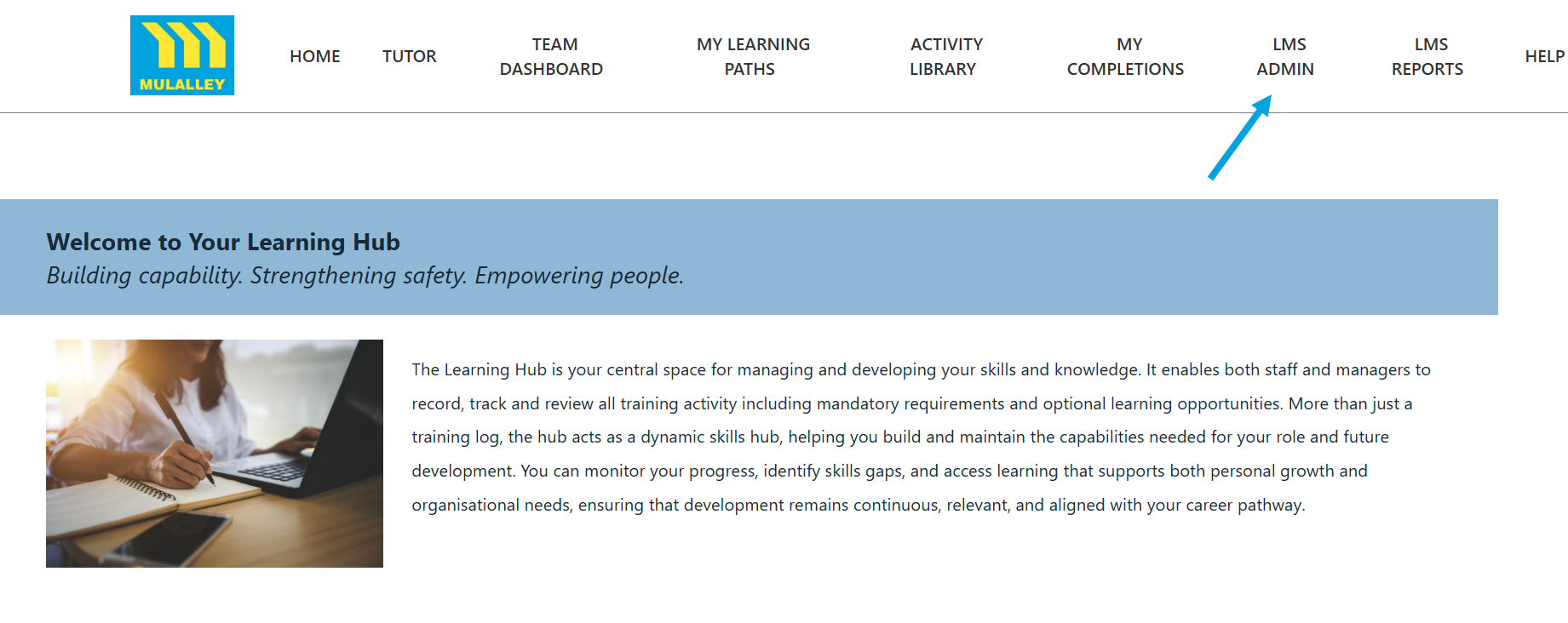
Step 1. Click on the LMS Admin tab.
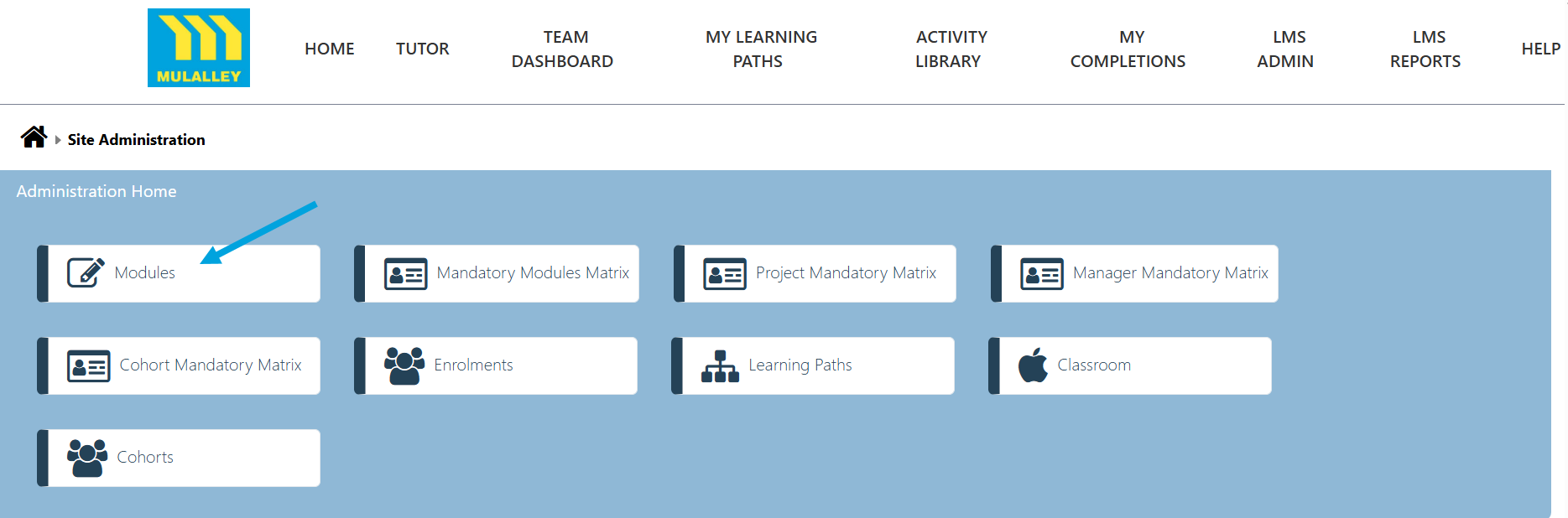
Step 2. Click on the Modules tab.
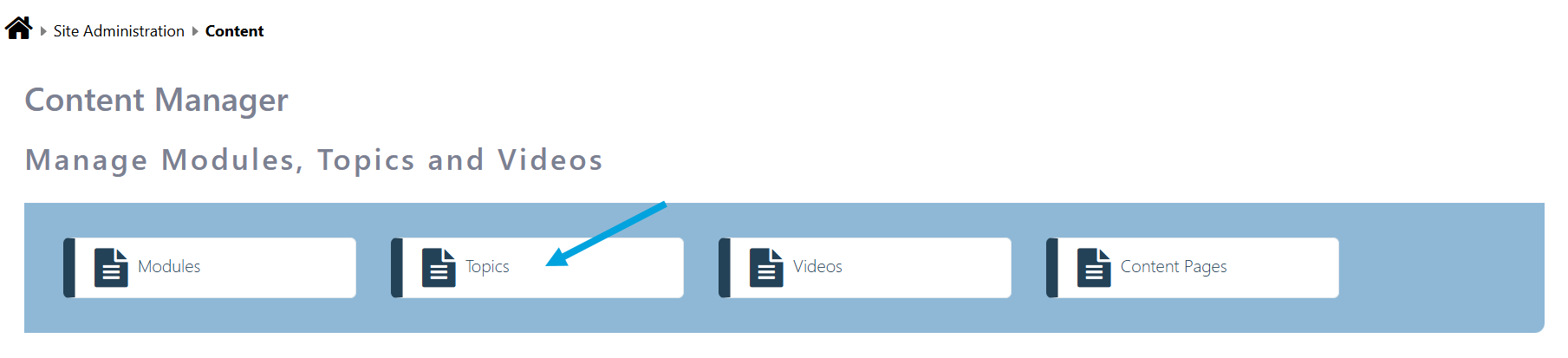
Step 3. To amend the Topics click on the Topics tab.
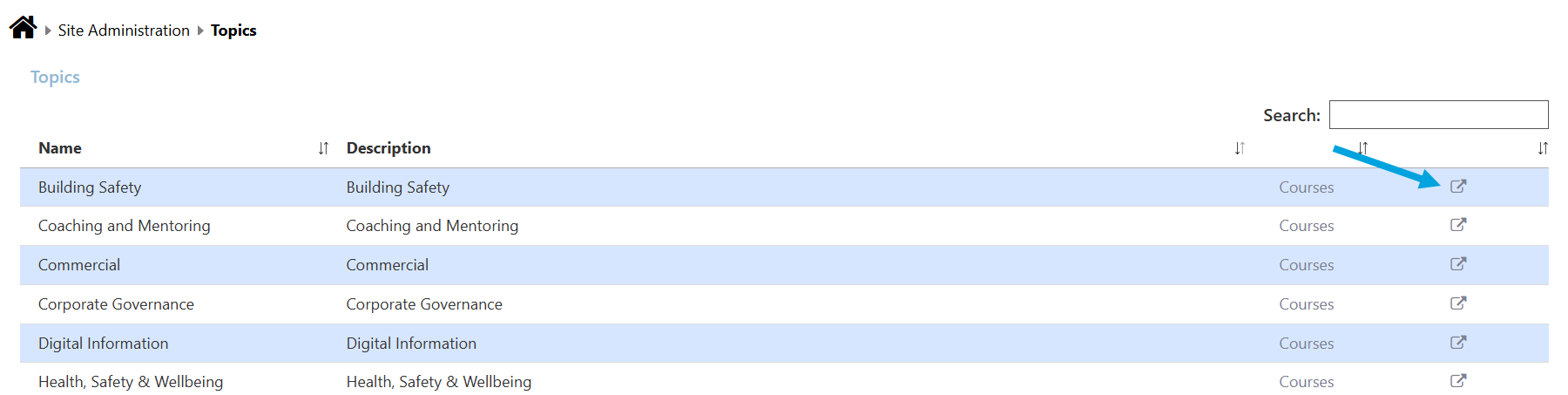
Step 4. Click the edit icon to edit a topic.
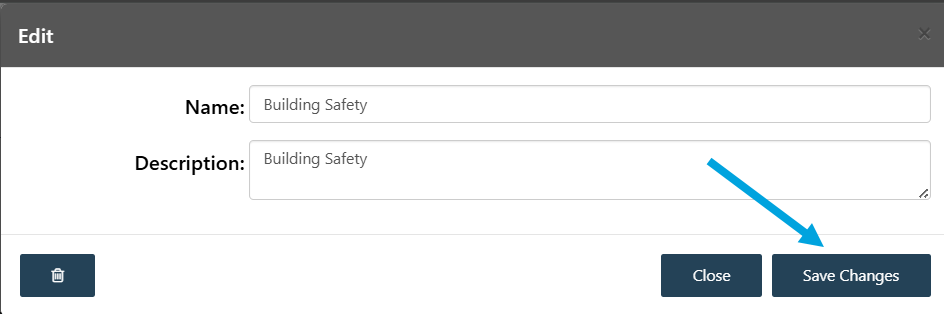
Step 5. Edit the Topic and click Save Changes.
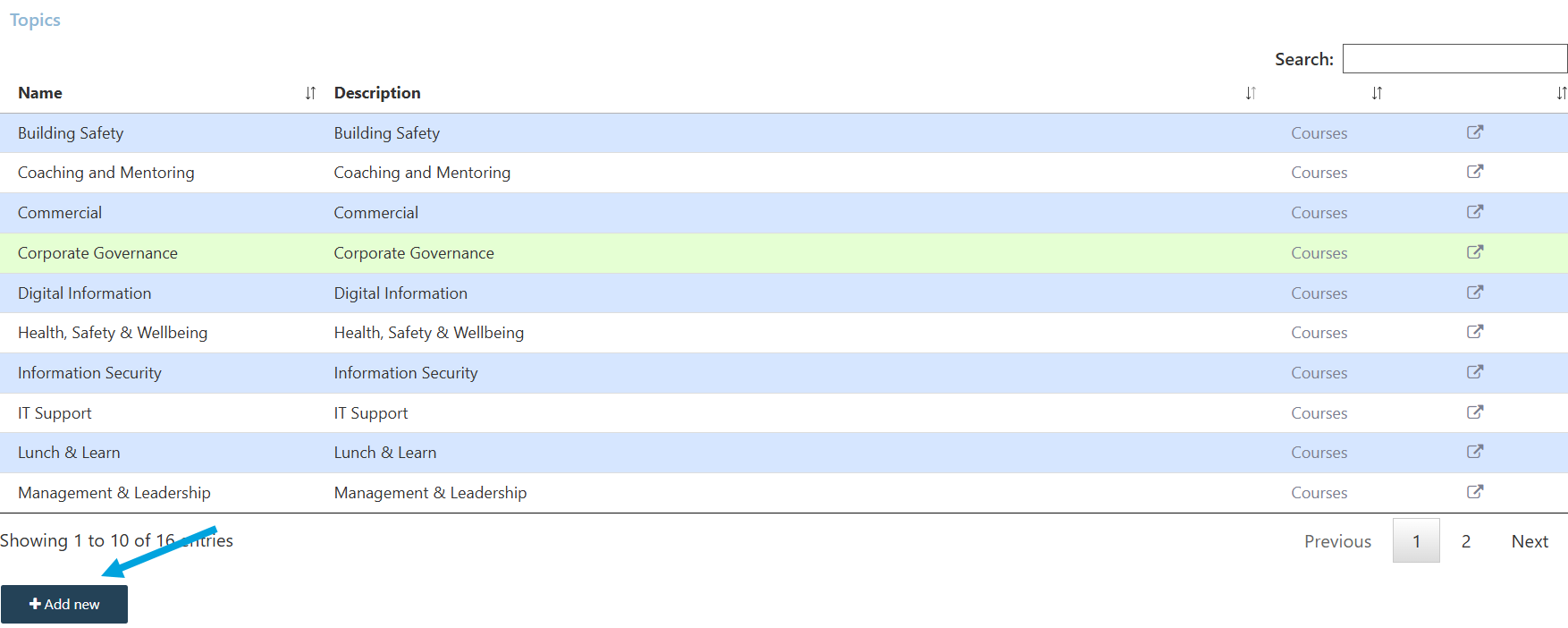
Step 6. To add a new Topic click on the Add new button.