create new ticket
 check ticket status
To remove a user from a course.
Step 1. Click on “Site Admin” in the Navigation bar at the top of the screen.

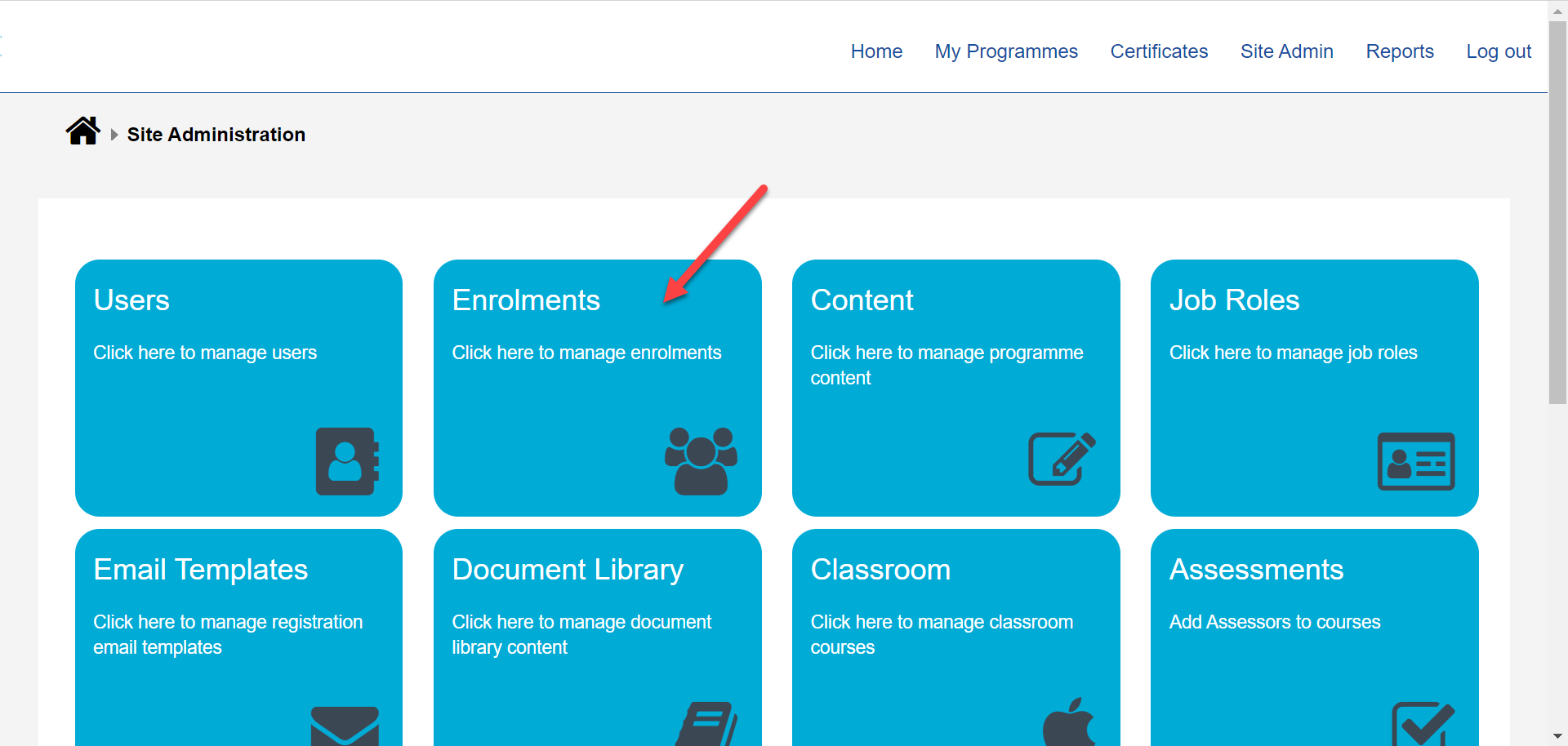
Step 2. Click the "Enrolments" tile.
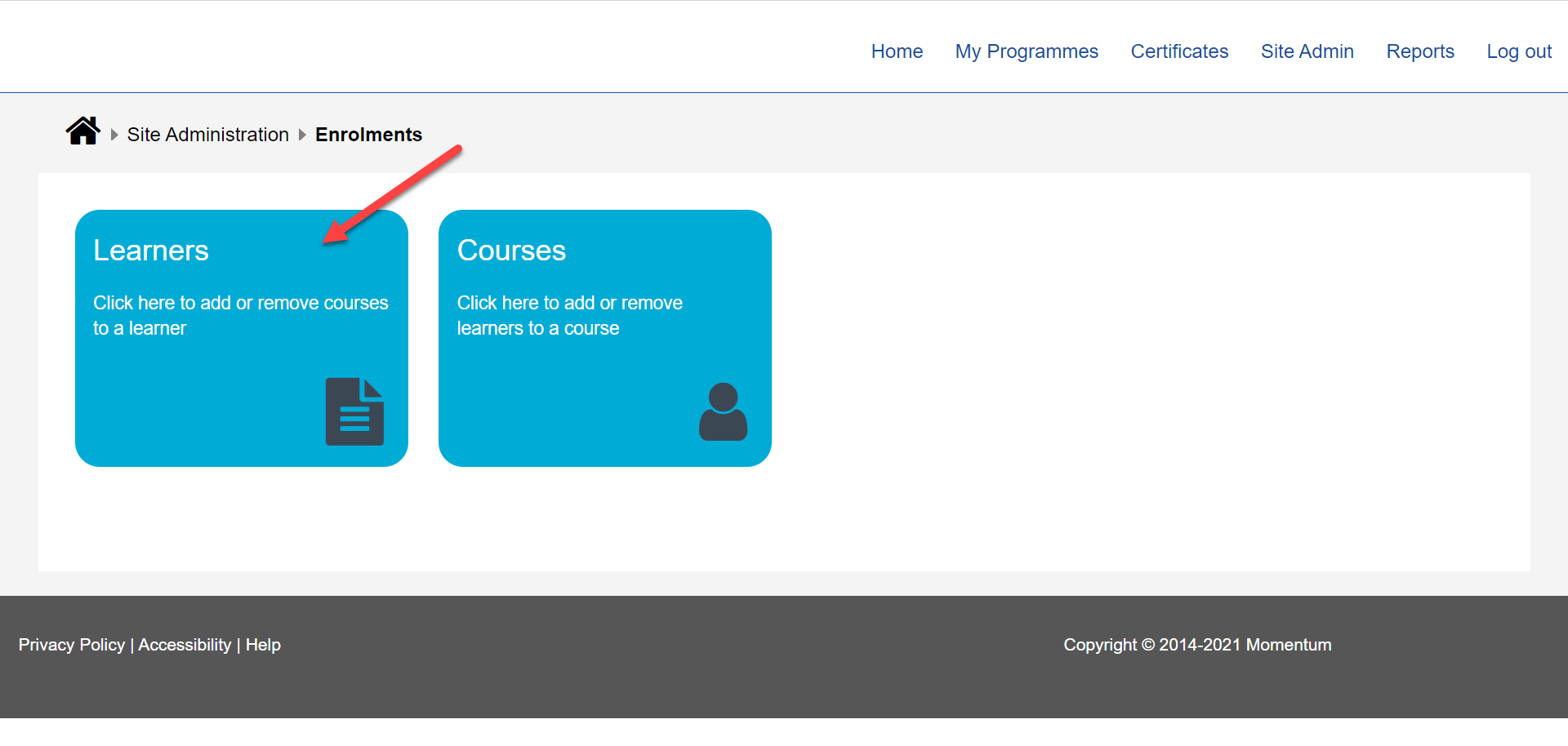
Step 3. Click the Learners tile.
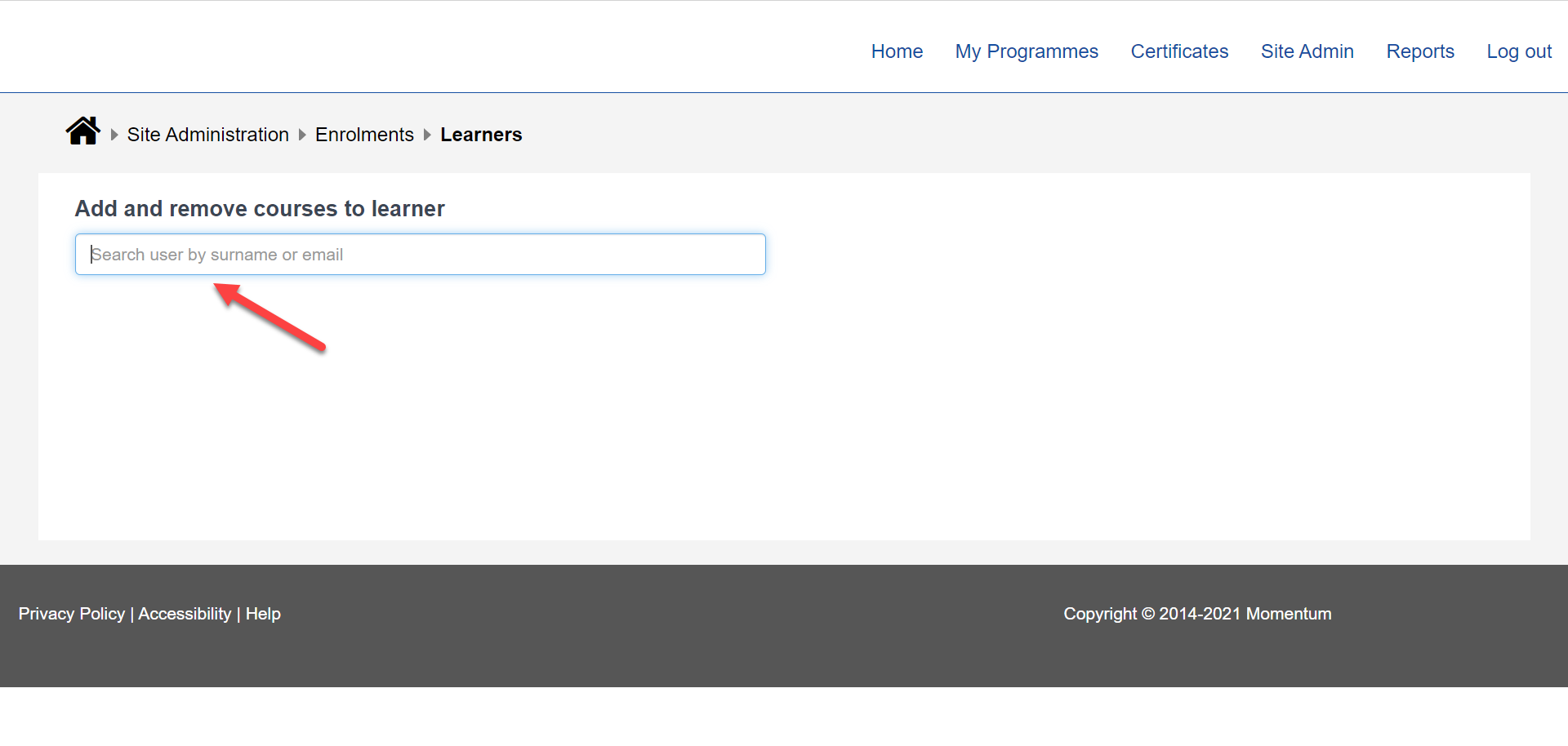
Step 4. Search for Learner by surname or email.
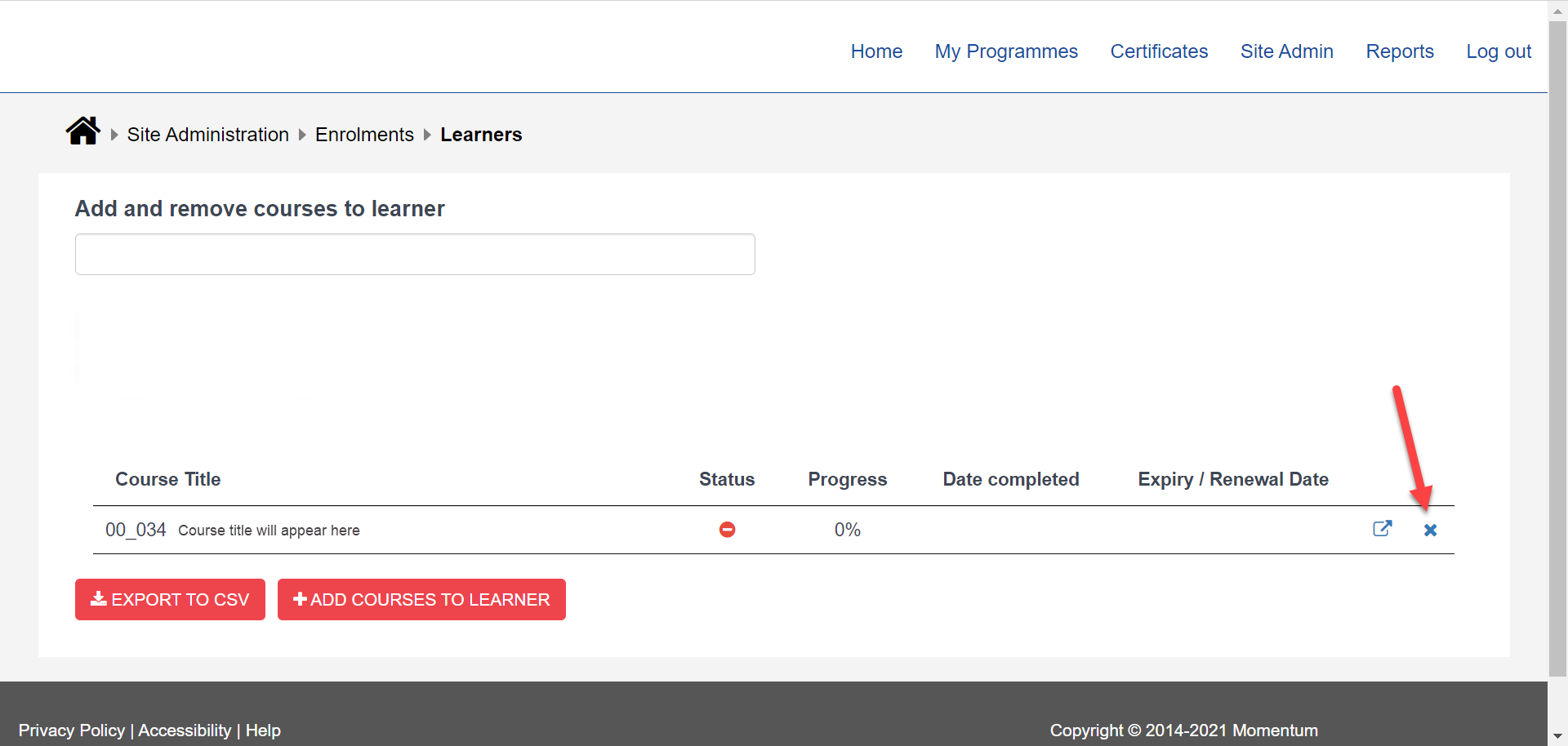
Step 5. Click the X next to the course you wish to remove from the learner.