create new ticket
 check ticket status
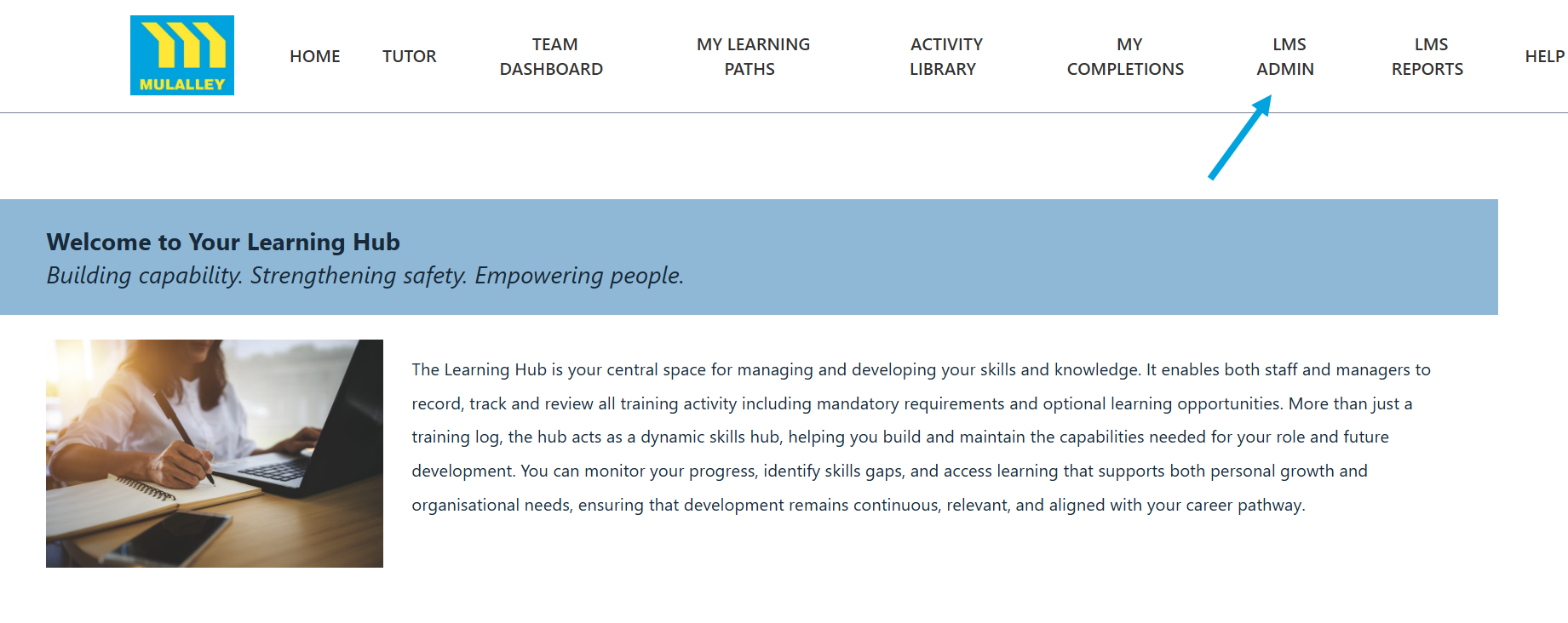
Step 1. Click on the LMS Admin tab.
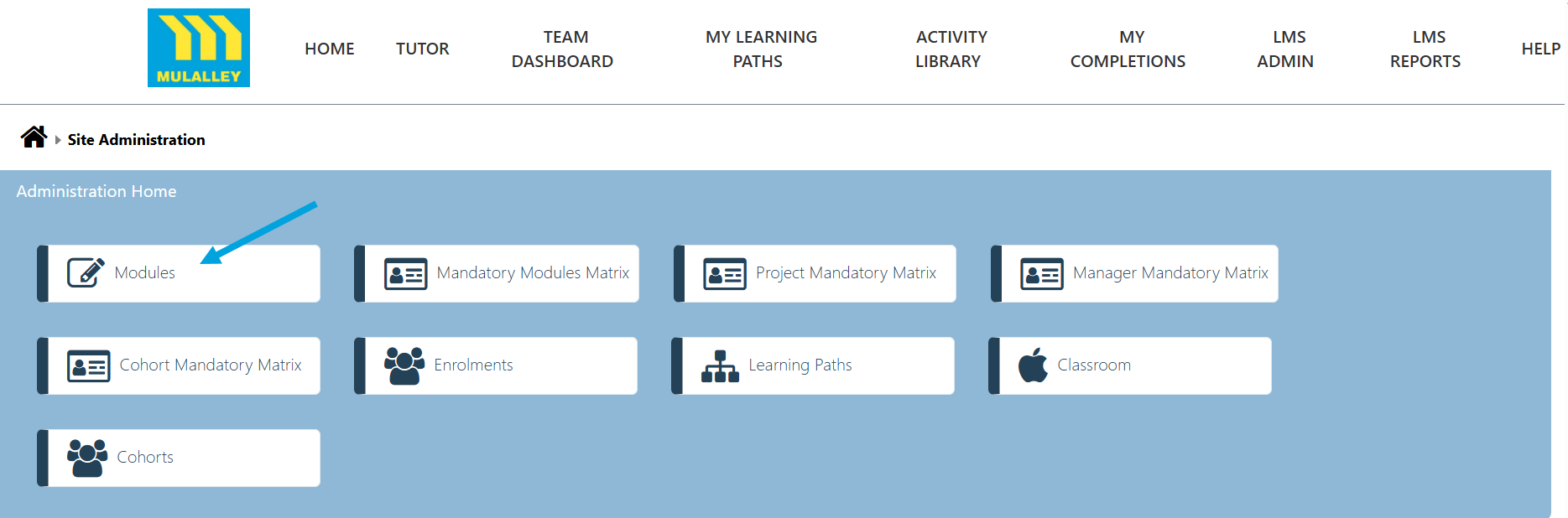
Step 2. Click on the Modules tab.
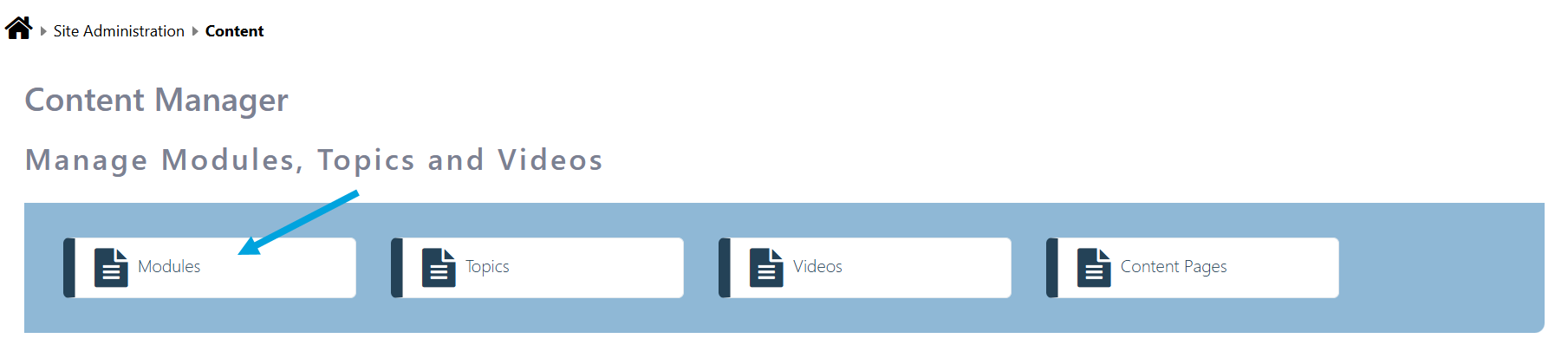
Step 3. To amend the Modules click on the Modules tab.
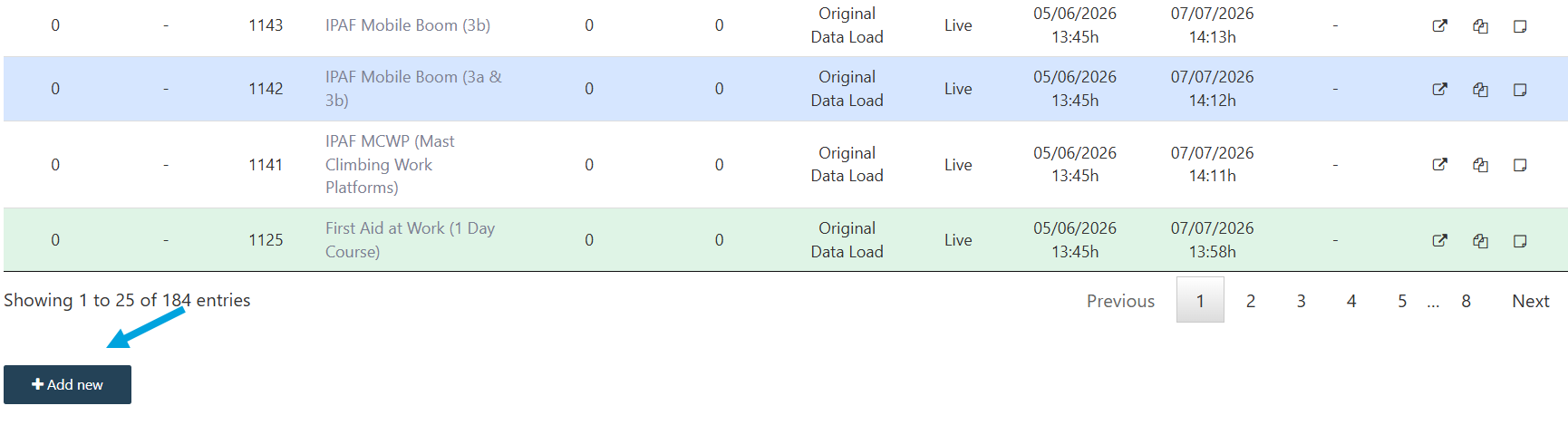
Step 4. You will see a list of all modules. They can be arranged in any oder by clicking the relevant title at the top of each column.
Step 5. Edit the module by clicking the edit icon. Press the Save Changes button after editing.

Step 6. To add a new Module click the Add new button.