create new ticket
 check ticket status
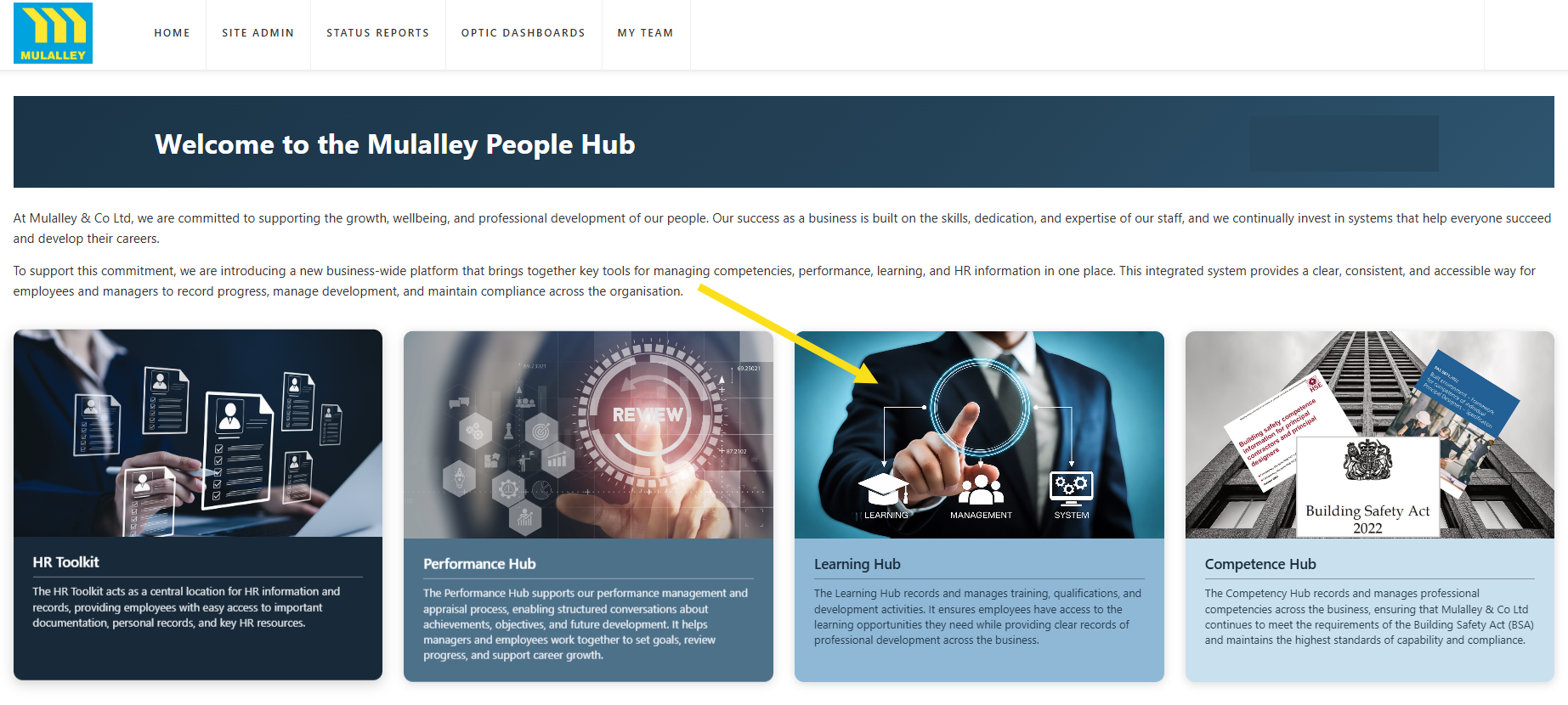
Step 1. Click on the Learning Hub tab.
Step 2. Click on the LMS Admin tab.

Step 3. Click on the Modules tab.
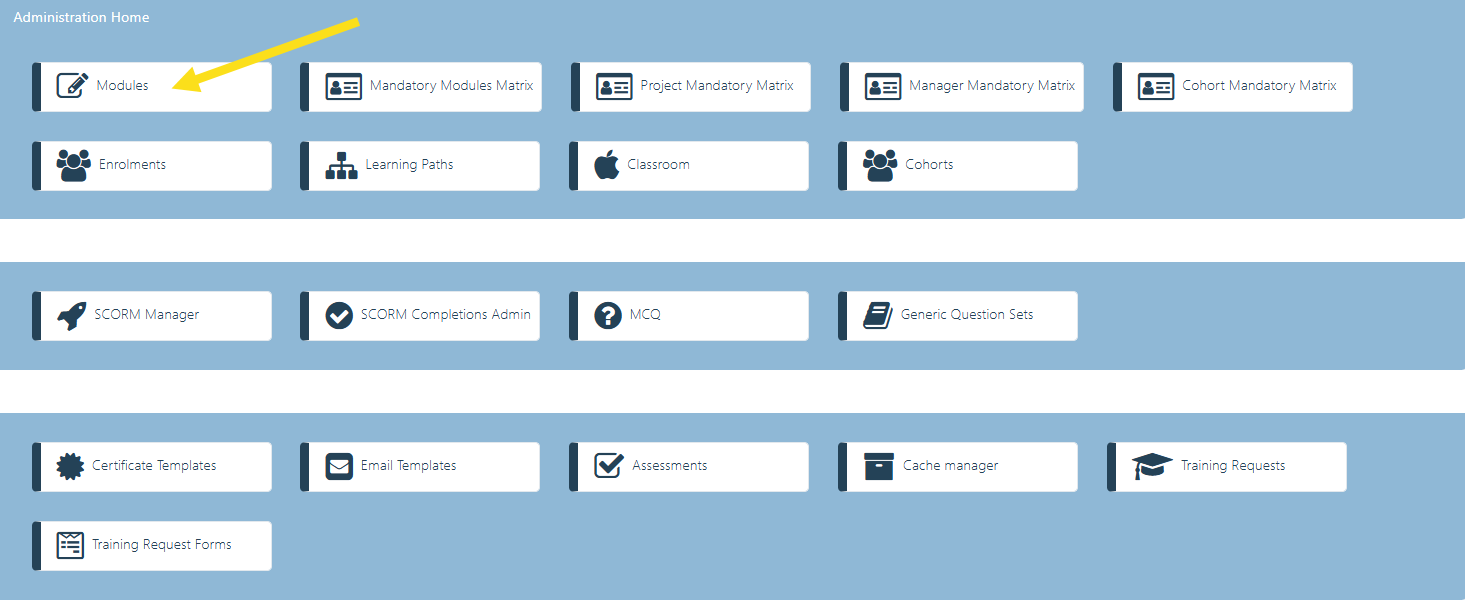
Step 4. Click on the Modules tab.

Step 5. Select the edit button for the course you wish to add/amend tab visibility in.
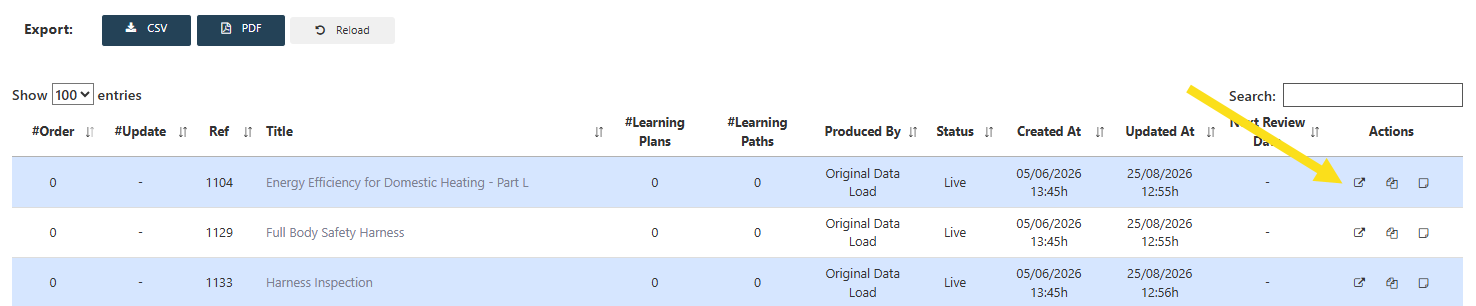
Step 6. Select/deselect the relevant visibility tabs and add/amend the descriptions. Click Save Changes.