create new ticket
 check ticket status
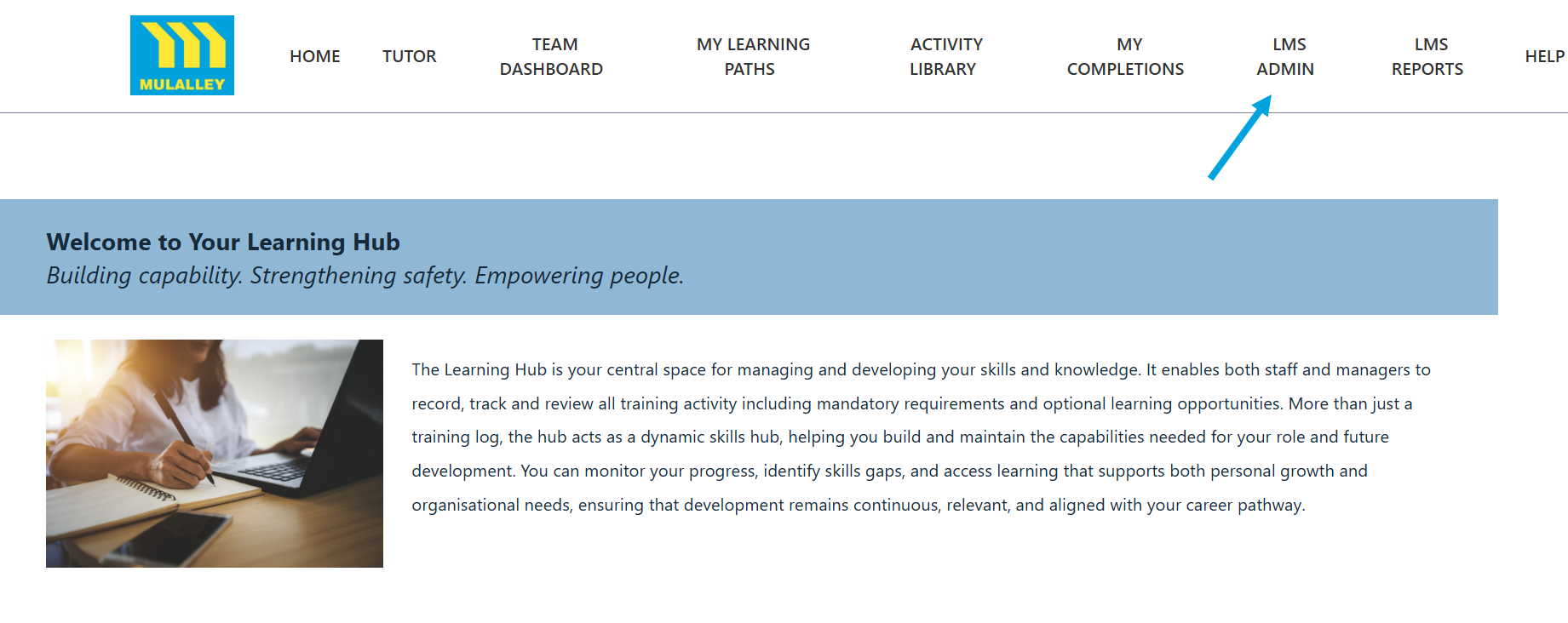
Step 1. Click on the LMS Admin tab.
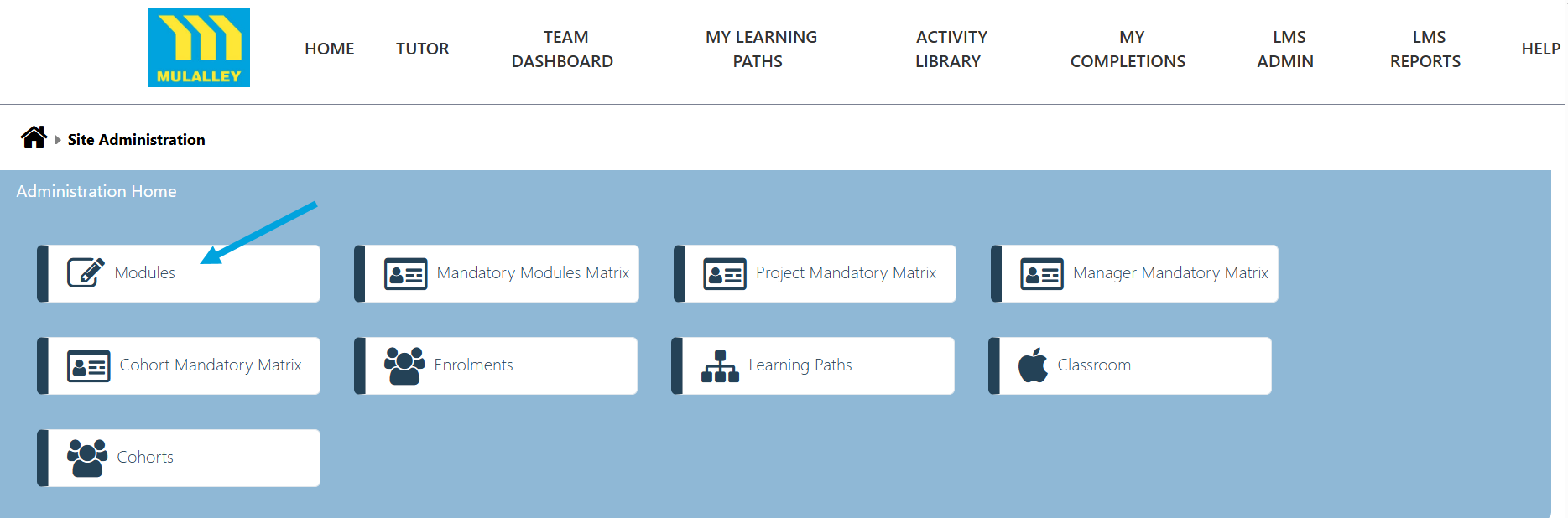
Step 2. Click on the Modules tab.
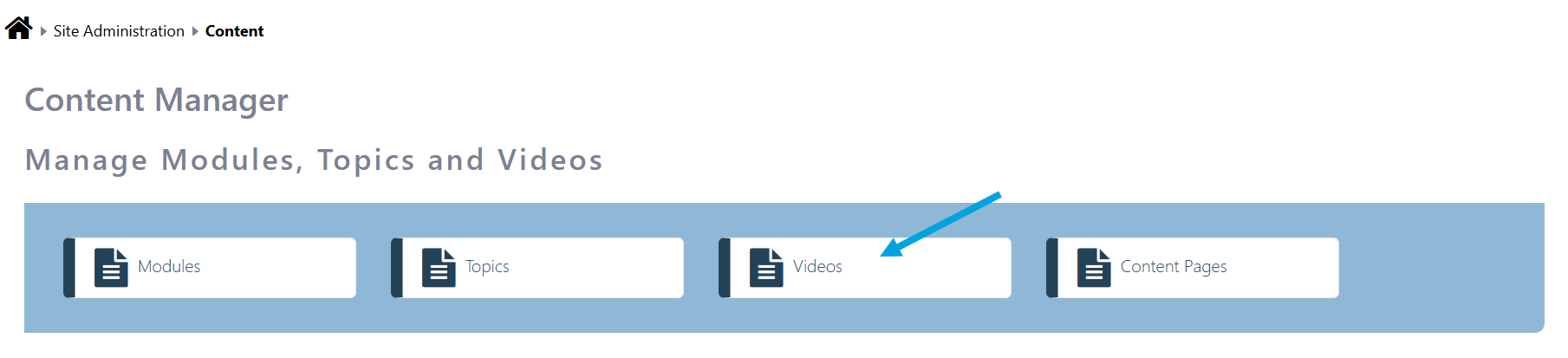
Step 3. To add a Video click on the Videos tab.
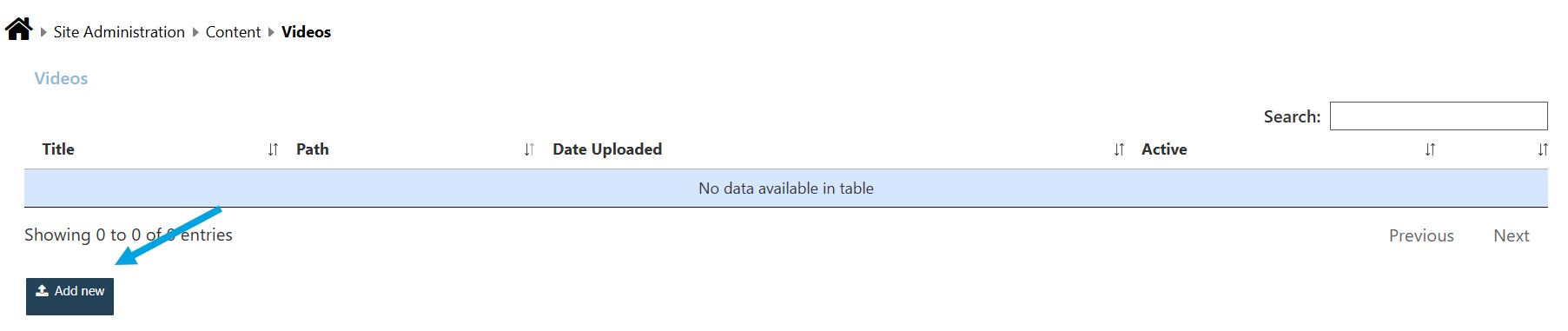
Step 4. Click on the Add new button and select the video you would like to add.
Modified on: Wed, 8 Jul, 2026 at 12:17 PM
Step 1. Click on the LMS Admin tab.
Step 2. Click on the Modules tab.
Step 3. To add a Video click on the Videos tab.
Step 4. Click on the Add new button and select the video you would like to add.
Did you find it helpful? Yes No