create new ticket
 check ticket status
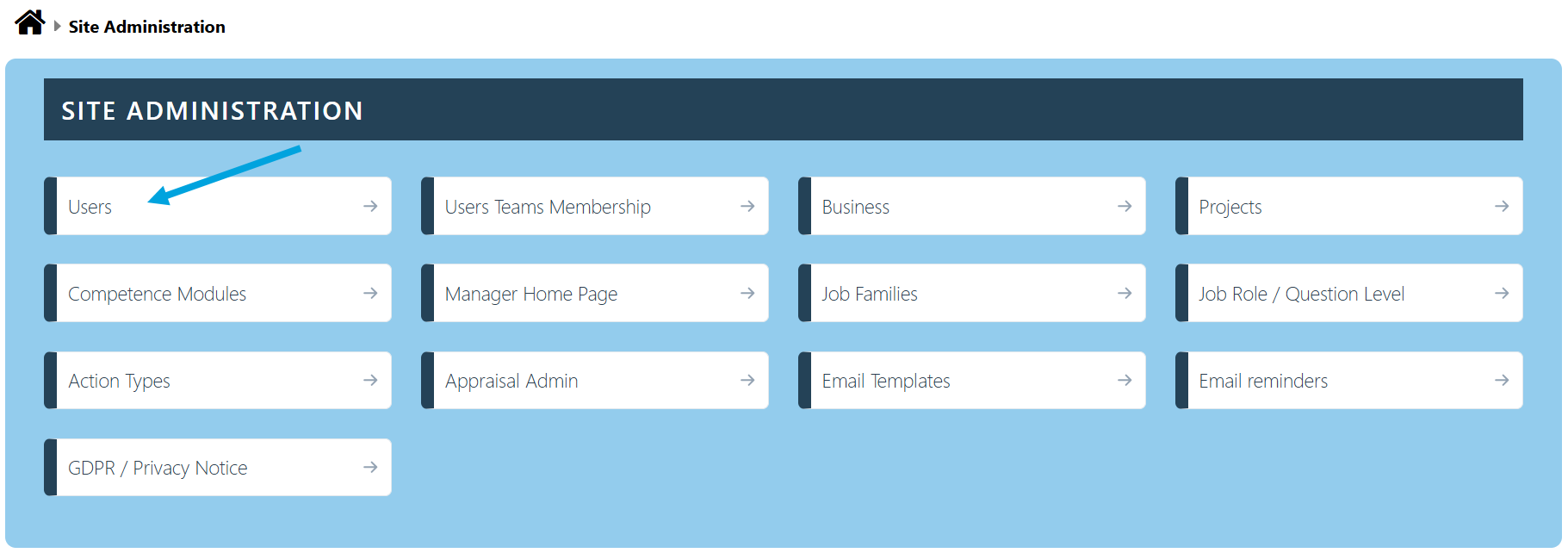
Step 1. Click on the Site Admin tab.

Step 2. Click on the Users tab.
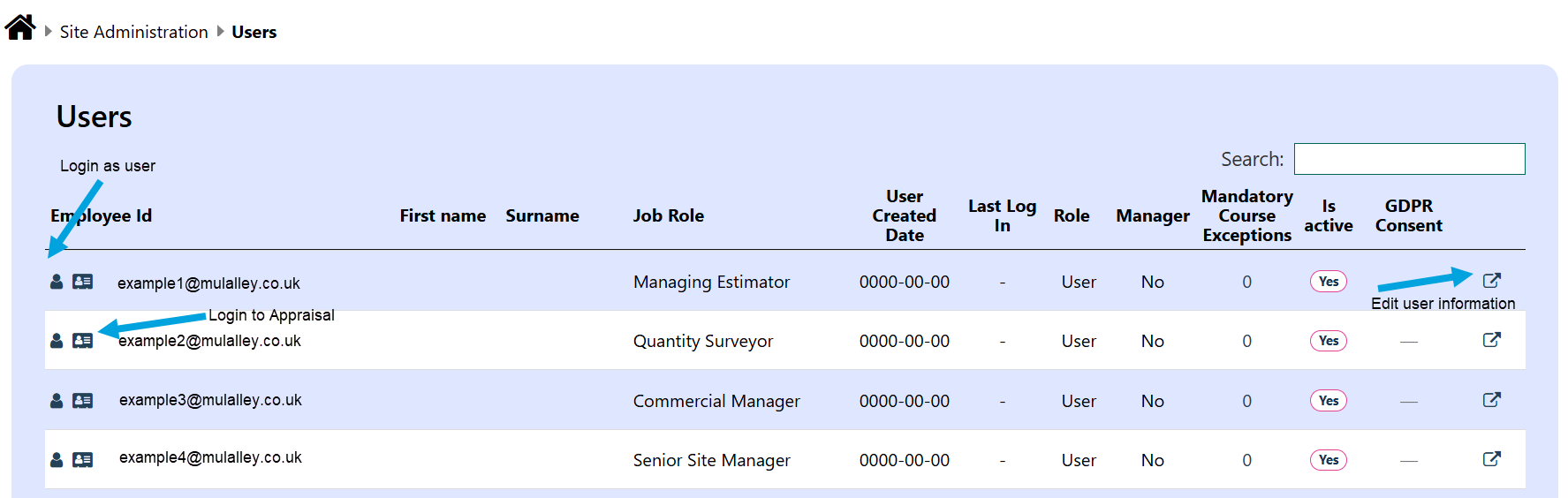
Step 3. On this page you can sign in as the Employee, login to the Employee's appraisal and edit the Employee's details.
Modified on: Mon, 20 Jul, 2026 at 12:46 PM
Step 1. Click on the Site Admin tab.
Step 2. Click on the Users tab.
Step 3. On this page you can sign in as the Employee, login to the Employee's appraisal and edit the Employee's details.
Did you find it helpful? Yes No