create new ticket
 check ticket status
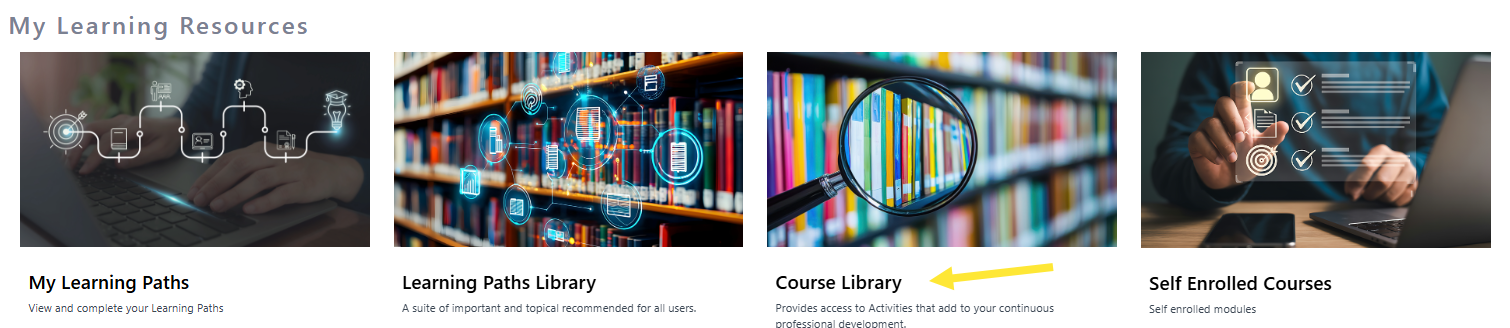
Step 1. On the home page scroll down to My Learning resources and click on Course Library.
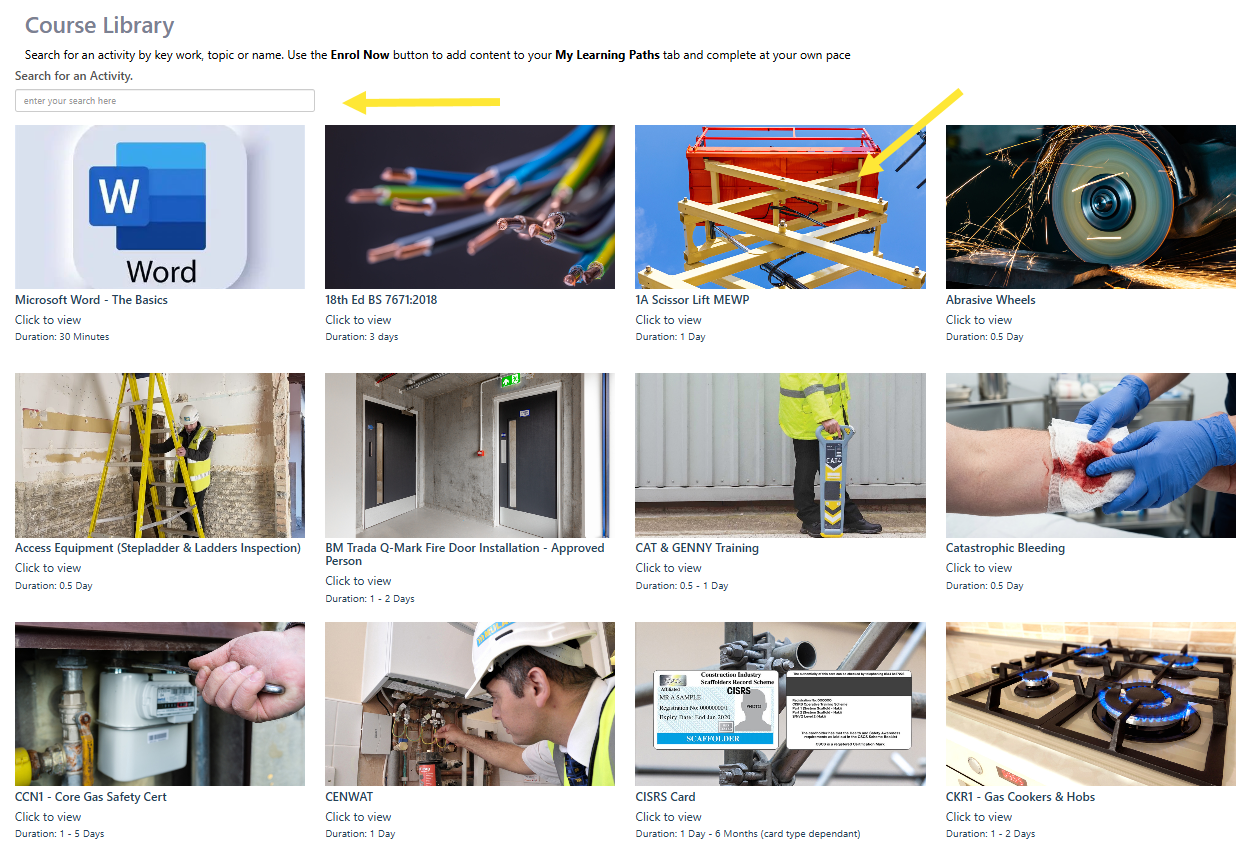
Step 2. On this page you will see all available activities. You can click the tiles to see more information about the activity, start the activity or complete the Training Request Form. You can search for an activity by key work, topic or name.