create new ticket
 check ticket status
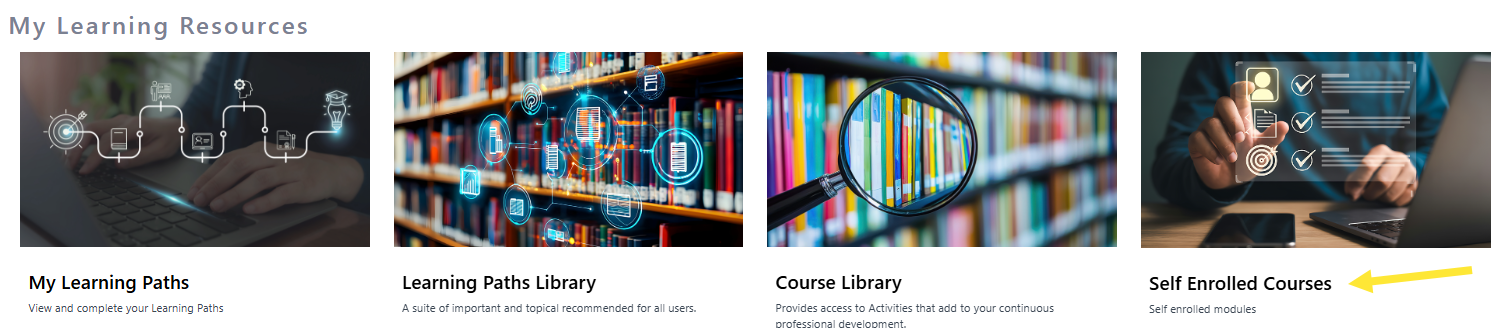
Step 1. On the home page scroll down to My Learning resources and click on Self Enrolled Courses.
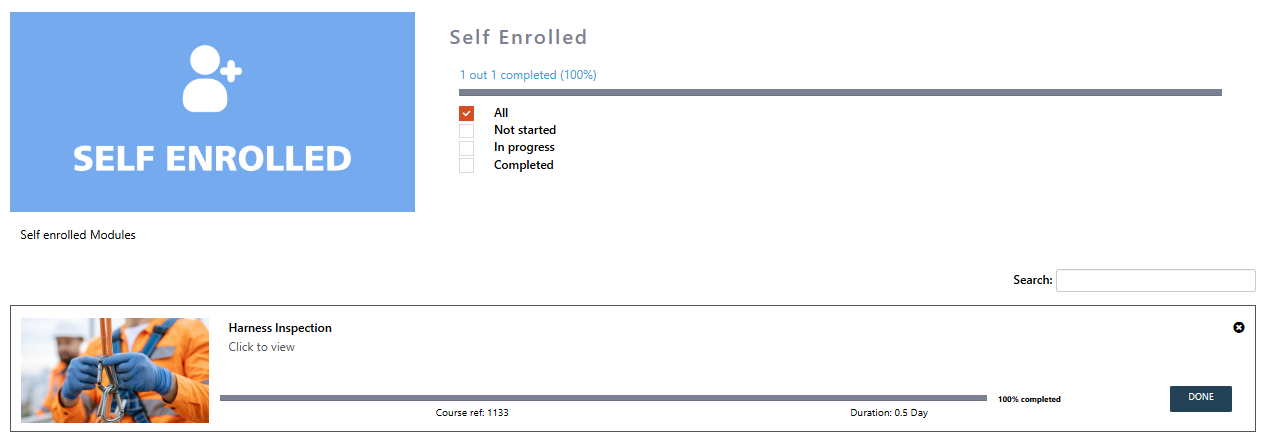
Step 2. Here you will see a list of all Self Enrolled Courses and the status of the courses.
Modified on: Tue, 8 Sep, 2026 at 2:40 PM
Step 1. On the home page scroll down to My Learning resources and click on Self Enrolled Courses.
Step 2. Here you will see a list of all Self Enrolled Courses and the status of the courses.
Did you find it helpful? Yes No